|
|
Complete Memory Configuration at a Glance
ViewMem (Memory Viewer) lets you view your system memory configuration without having to open the case. It shows the channel, DIMM, size, and speed of every installed module -- along with the memory type (SDRAM, DDR, DDR2, DDR3), manufacturer, serial number, and more.
ViewMem retrieves the most detailed information available from your Windows system memory. Get the physical location on the motherboard, channel and DIMM number, device type, bank locator, synchronous type, DIMM form factor, chip size, memory speed, total width, manufacturer, serial number, asset tag, and part number. Whether you are planning a memory upgrade, troubleshooting hardware issues, or documenting system inventory, ViewMem provides all the data you need.
Who Is This For?
- IT administrators -- Audit and document system memory configurations across workstations without opening cases or rebooting into BIOS.
- Hardware technicians -- Identify exact memory types, speeds, and available slots before ordering upgrade modules.
- System builders -- Verify installed memory matches specifications and confirm all DIMMs are detected and running at the correct speed.
- Troubleshooters -- Diagnose memory-related issues by checking serial numbers, bank locations, and memory type details.
Key Features
Memory Type Detection
Identifies SDRAM, DDR, DDR2, DDR3, and other memory types. Updated in v1.03 with expanded DDR3 support and additional memory type recognition.
Detailed Module Info
Shows physical location, channel, DIMM number, bank locator, form factor, chip size, speed, total width, and synchronous type for every module.
Identification Data
Displays manufacturer name, serial number, asset tag, and part number for each installed memory module.
Memory Allocation
Shows current memory allocation alongside the physical module details, giving you a complete picture of your system's memory usage.
Wide Hardware Support
Works with PCI memory on 32-bit machines, 64-bit systems with 8GB, 32GB, or more. Supports a wide range of motherboard and BIOS configurations.
Fully Portable -- Zero Installation

No Installation Required Runs directly from an .exe file. No setup wizard, no "Next, Next, Finish."

Runs From USB Copy to a flash drive and use on any PC. IT techs carry these on a keychain for on-site support.

Leaves No Trace No files left behind after use. Delete the folder and it is gone completely.

No Registry Changes Does not modify the Windows registry, system settings, or install drivers.

Self-Contained Everything the program needs lives in its own folder. No scattered DLLs or AppData clutter.

No Admin Rights Needed Runs under standard user accounts. No UAC prompts, no IT ticket required.

Lightweight Tiny footprint, typically under 1 MB. No frameworks, runtimes, or bloated dependencies.

Instant Startup Launches in under a second. No splash screens, no loading bars, no waiting.
Tips
- How to close ViewMem -- Click the "X" in the upper right hand corner of the application.
Windows Compatibility
 Win 11
 Win 10
 Win 8
Win 8
 Win 7
Win 7
 Vista
Vista
 XP
XP
 Win 2k
 NT
NT
 ME
ME
 98
98
 95
95
Download ViewMem
Screenshots
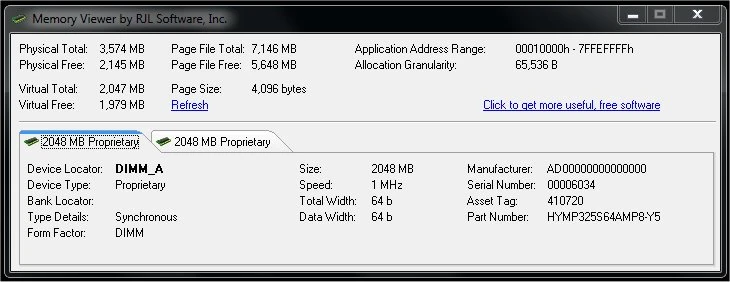
Main screen showing the installed memory configuration of your computer -- vital information for memory upgrades and hardware documentation.
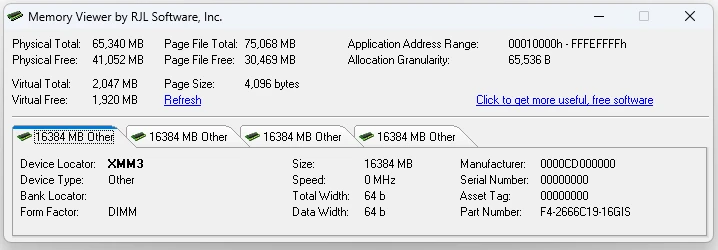
Showing a Windows 11 computer with 64GB of memory across 4 slots.
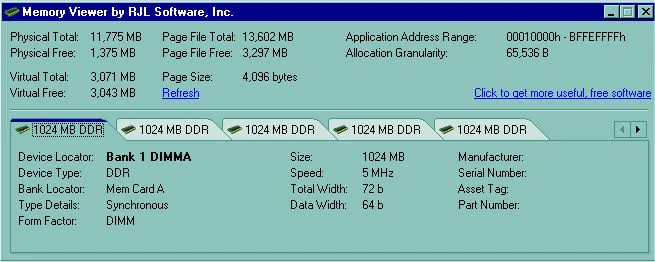
Detailed view showing physical location, channel, DIMM number, device type, bank locator, memory speed, manufacturer, serial number, and more.
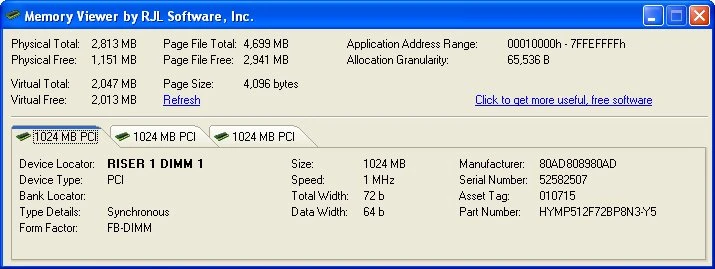
PCI memory support on 32-bit machines -- ViewMem works with a wide range of hardware configurations.
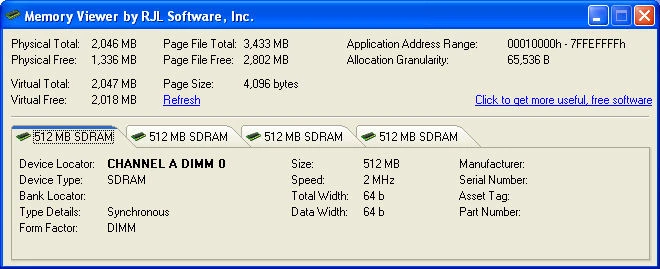
SDRAM detection -- ViewMem correctly identifies SDRAM, DDR, DDR2, DDR3, and other memory types.
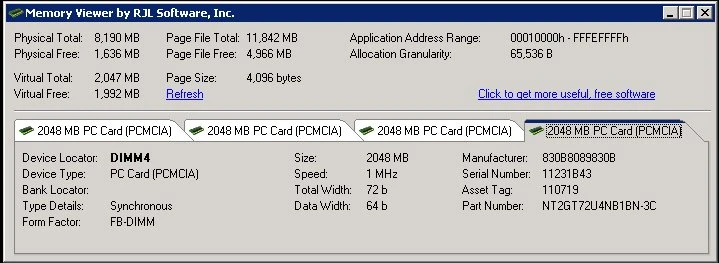
A 64-bit machine with 8GB of RAM showing PCMCIA 2GB modules per slot.
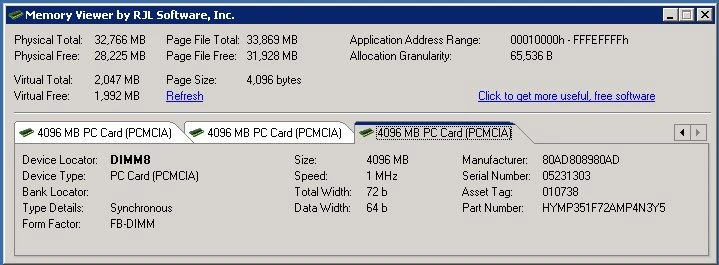
An x64 machine with 32GB of RAM -- ViewMem supports systems with large memory configurations.
Version History
v1.03
May 29, 2013
Updated the Device Type to support DDR3.
Added additional support for different memory types.
v1.02
April 13, 2012
Added additional support for different memory types.
v1.01
January 22, 2010
Added support for different memory types.
Added support for newer BIOS configurations.
Updated screen to account for large serial numbers.
What Users Are Saying
★★★★★
"Faster than opening the case to check RAM. Shows DDR type, speed, and serial numbers instantly."
-- Ben K., IT Tech
★★★★★
"Essential when ordering replacement RAM. Shows exactly what is installed in each bank."
-- Olivia S., Sysadmin
Download ViewMem
Windows 11, 10, 8, 7, Vista, XP, 2000, NT, ME, 98, 95
423 KB
SHA256: b9317432cc82...1135
Freeware
Updated: May 29, 2013
You Might Also Like

Display how long your Windows system has been running in a customizable, borderless window with tray icon and Always On Top.
Learn More

Listen on TCP ports, view live connections, and test HTTP reachability with this portable Windows network debugging utility.
Learn More
Support ViewMem Development
ViewMem is completely free. If this tool has saved you time, consider making a donation to help fund continued development and new features.
Support and Information
Frequently Asked Questions
Find answers to common questions about ViewMem.
View FAQ
Need Help?
Found a bug or have a question? We are here to help.
Contact Us
Uninstall
To uninstall, simply delete the program folder. No registry entries or system files are left behind.
How to Update
Download the latest version and extract over your existing folder, or to a new location. Settings are preserved.
Privacy: This software does not collect, transmit, or store any personal data. No internet connection required.
End-User License Agreement (EULA)
|
|
|















 Download v1.03
 Give Now